My lips are sealed. In the process of blogging about this whole Azeus adventure I need to be extra careful in what I say, lest I reveal some company secret, and pay a whooping PhP 5,000,000. Hence, I’m making it a point not to talk about the project itself but about the technologies I’d encounter for the next few weeks.
The project was divided into modules and we were grouped according to that. Sir Zhen, the person in charge with this whole internship, told us that he grouped us according to school. Now, I have no objections with working alongside UPD people but I was hoping that this internship would be an opportunity for me to see how people from other schools work, code, and think. In the end, I got what I wanted as my co-interns for the module I’m assigned to comes from UPLB and De La Salle University.
So, we’ll be working on Android, Google’s version of an iPhone killer. I haven’t any experience with Android so I’m thankful that they gave us the first week to play around with the technology. Like everyone on the internet, we’ll be using the Android SDK plug-in for Eclipse.
Bang. Hurdle number one. Throughout my college life I haven’t really been a big fan of IDE’s, those editors with a large set of buttons a good deal of which I never click. And even at those rare moments when I used an IDE, I used NetBeans for the reason that Eclipse shares the name of a Twilight installment.
While the adjustments needed are minimal (you still just type on it, you see), I still find it irritating how IDE’s keep telling me I’m doing something wrong even when I’m not yet done with my statement; it’s my little pet peeve, the way they under-jagged-line my code, like MS Word does with wrong grammar. And I never found their autocomplete features smart enough. Well, enough of that.
But the first week is past now and at this point—hear ye, I’m saying this—I’m advising anyone who has the same love for plain text editors as me NEVER to attempt Android development without an IDE. Sure it’s possible but when your app starts to force close a little too frequently for your taste and you are in dire need for a debugger, I’m telling you you’d love your IDE (Eclipse, most likely) like religion.
Android Dev Lesson #1: System.out.println(), the best debugging tool in the world, doesn’t seem to work in the Android SDK environment. In that case, you can use Toast.
And then, they didn’t forbid it explicitly, but I don’t think I’ll have much use for my laptop for this internship. For reasons of company security, work remains at the workplace and we take nothing home save for the experience. And so I’m sitting in front of an awesome desktop workstation loaded with Windows XP.
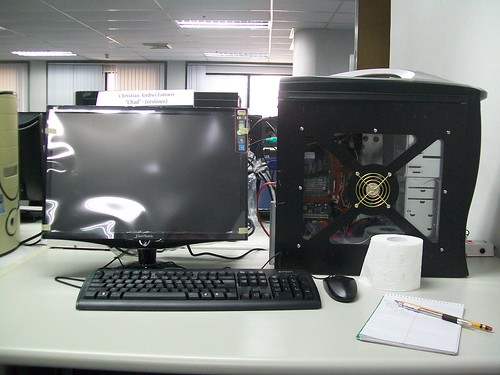
Next to Windows 98, XP must be the OS I’ve spent the most time with. Despite my familiarity with it, it’s in times like this that I miss Ubuntu. I can’t help but think that going through the tutorials would’ve been a whole lot easier with CompizConfig’s transparency settings.
With CompizConfig, I could have something like this (so yes, I have a fresh set-up of Eclipse on my Linux box right now)

See what I mean when I said that things could’ve been a whole lot easier?
(A little addendum to my IDE rants above: on my freshly set-up Eclipse, pictured above, I can’t even create a simple Java project. I wonder why?)
Lastly, I took sometime off the first week adjusting to the large keyboard of my workstation. It’s a little frustrating, having all this muscle memory of a laptop’s keyboard make all those one-letter-off-the-right/left mistakes on a desktop’s. But well, as of now, I’m pretty adjusted.
Double, triple, tenfold checked. No company secrets revealed. Right. Hit “Publish”.
Up next, the three days of week two…